
This blog explores why modern organisations need to invest in dedicated town hall AV solutions. Found out how to improve communication across hybrid and distributed teams, how technologies like LED displays, conferencing systems, presenter tracking, ceiling audio and live collaboration tools help create smoother, more engaging company-wide meetings while improving employee alignment, participation and overall workplace productivity.
However, ask employees across companies and they will tell you similar stories of town hall meetings: half the people couldn’t hear properly or the presentation refuses to load. More commonly, they talk about remote employees who keep asking if the audio is breaking, while the people in the room cannot see the screen. Instead of listening to leadership updates, everyone is focused on technology problems.
That’s why modern organisations need to rely on dedicated town hall AV solutions that combine audio, video, streaming, collaboration and room control systems into one connected environment.
What are town hall AV solutions?
Town hall AV solutions are audio visual systems designed specifically for large internal meetings and company-wide communication sessions.
They usually combine:
- LED displays or projection systems
- Ceiling or line-array speakers
- Wireless microphones
- Video conferencing systems
- Live streaming tools
- Presentation sharing systems
- Camera tracking systems
These setups are designed so that employees in the room and employees joining remotely receive roughly the same experience.
Town hall spaces are changing
- Multi-camera systems
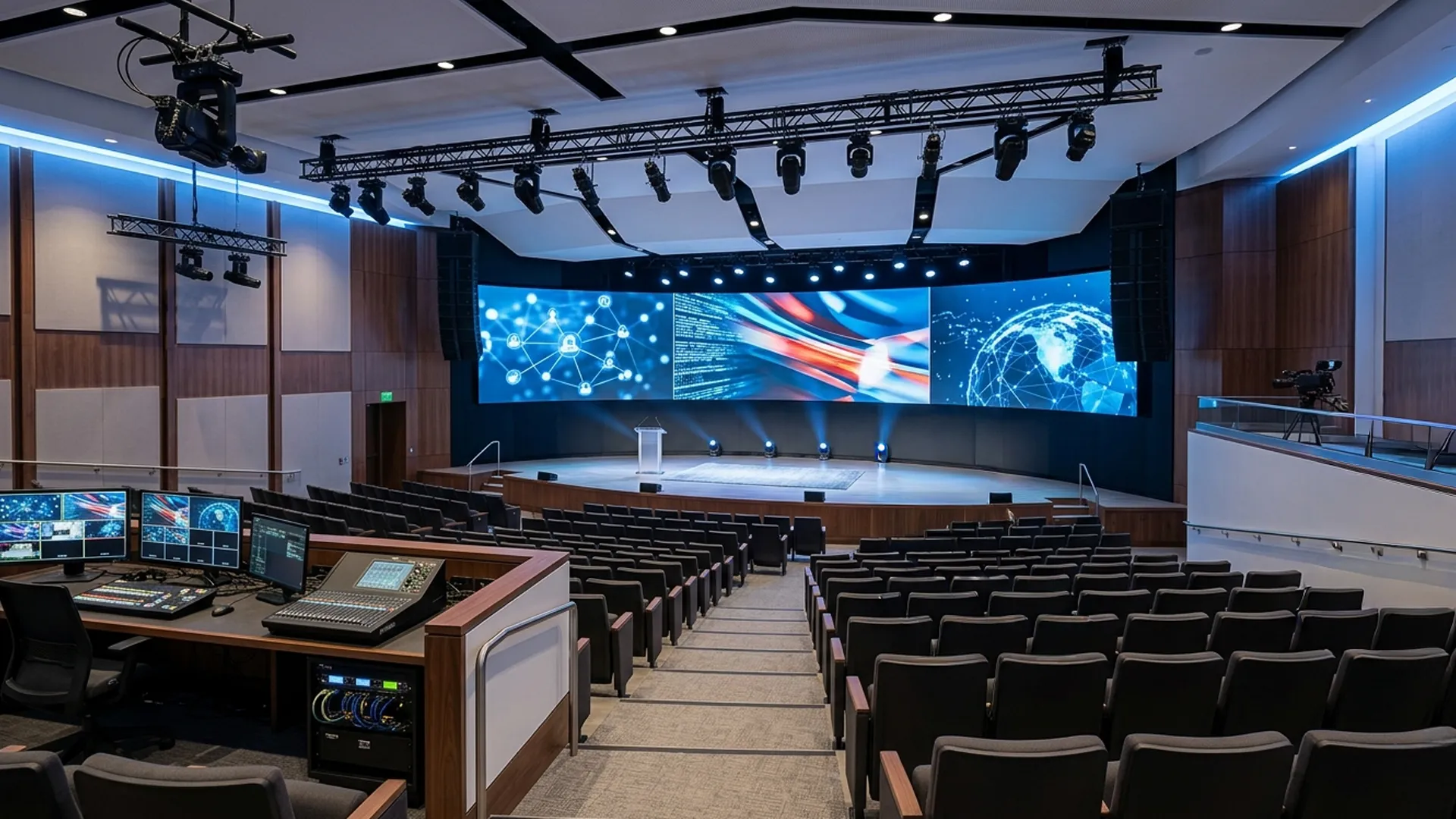
Nowadays, town halls are starting to feel less like meetings and more like live productions. Instead of a single fixed camera pointed at a stage, there are now multiple angles capturing different parts of the room: speaker, audience reactions, panel discussions, even side moments that would otherwise be missed. It changes how remote attendees experience the session. The event feels paced, edited, and more intentional, almost like a live broadcast rather than a corporate call. - Video walls and large-format displays
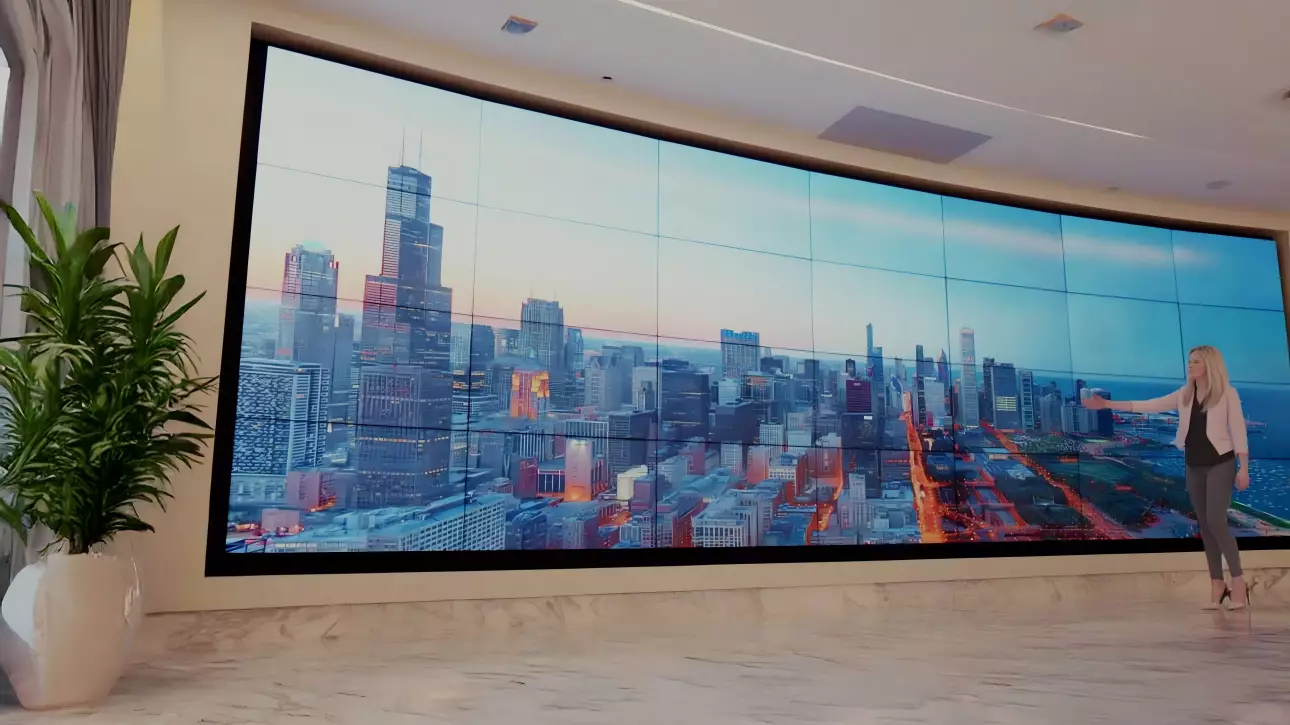
The old “one screen at the front” setup is slowly disappearing in larger town halls. Video walls now carry multiple layers of content at once, presentation slides, live speakers, remote participants, sometimes even polls or agenda cues running alongside. This does a great job of removing the rigidity from the room. The space can shift tone quickly, from a leadership announcement to a Q&A or panel discussion, without needing to reconfigure anything physically. - Voice lift systems
In bigger rooms, clarity is often a bigger challenge than volume. Voice lift systems help by gently reinforcing speech through the room speakers so that even soft-spoken comments or audience questions don’t get lost. It is subtle when done well. People just realise they can hear everything clearly without effort. - Interactive displays
Town halls are no longer purely one-directional. Interactive screens are slowly changing that dynamic. People can vote on polls, flag points on screen, ask questions or even react to what is being discussed while it is happening. Instead of sitting through slides, attendees feel a bit more involved in what is happening. - Ceiling microphones and array-based capture
Audio pickup has become far less dependent on handheld microphones. Ceiling microphone arrays now handle most of the capture in modern rooms, picking up voices from different zones without needing people to pass devices around. It also changes how rooms are designed. Seating becomes more flexible, tables stay cleaner, and the room does not feel constrained by audio hardware placement. - AI camera tracking and auto-framing
Camera work used to be one of the weakest parts of town halls. That is changing, with AI-based tracking systems that automatically follow whoever is speaking and adjust framing on the fly. The benefits? Remote attendees no longer see static, awkward shots. The visual focus keeps shifting naturally, which makes longer sessions easier to follow. - Broadcast-style production setups
A lot of enterprise town halls are starting to borrow from broadcast environments. That means switching systems, preview monitors, PTZ cameras, overlays, live controls, and sometimes even a small production desk behind the scenes. The goal is to reduce the rough edges that usually break engagement in large meetings. - Live captions and multilingual support
As town halls scale across geographies, accessibility becomes unavoidable. Real time captions and translated feeds make it easier for people to keep up even when audio is unclear or when teams are spread across different languages. It almost magically removes a lot of friction from large sessions. More people stay engaged because they are not struggling to keep up with what’s being said. - Enterprise streaming and eCDN
When attendance scales into hundreds or thousands, streaming stability starts to matter more than anything else. eCDN systems help distribute video internally so the network does not choke during large broadcasts. From a communication standpoint, it also gives teams useful visibility into reach and engagement without disrupting the experience itself. - AV-over-IP and room control
The biggest shift is actually behind the scenes. AV-over-IP is replacing a lot of traditional cabling-based systems, allowing audio, video, and control to move over the network instead.What this enables is flexibility. Rooms can be reconfigured, expanded, or linked with other spaces without rebuilding the entire setup each time.
How town hall AV affects productivity
Good communication directly impacts how quickly work moves. When employees understand organisational goals, priorities and expectations clearly, there is far less need for repeated clarification after the meeting. Decisions also get implemented faster because people leave the room aligned instead of interpreting things differently later.
A lot of productivity loss in large organisations actually comes from small gaps in communication. A missed update, unclear instruction or poor audio in a town hall often turns into multiple follow-up emails or extra meetings just to fix confusion that should not have existed in the first place.
AV quality plays a surprisingly direct role here. If people cannot hear properly or follow the presentation smoothly attention drifts and key points get lost. Over time this creates slower execution and more internal dependency on clarifying information.
When the technology is reliable meetings feel more structured. Discussions stay focused on decisions rather than fixing technical issues. That alone reduces meeting length and improves how much actually gets done afterwards.
Why proper AV matters in town halls
- Clear communication
Poor audio can often result in employees to stop paying attention when they constantly struggle to hear speakers or follow presentations. Professional AV systems help avoid uneven sound coverage, microphone dropouts, echo issues, weak presentation visibility and remote participant delays. The smoother the meeting feels, the easier it is for employees to focus. - Hybrid participation
Remote employees expect to participate properly, not just watch silently from a laptop window while missing half the discussion. That is why hybrid meeting AV solutions now include features like presenter tracking cameras, integrated conferencing systems, multiple room microphones, shared content feeds and real-time collaboration tools. Organisations are increasingly using Video Collaboration and UC Solutions to create more consistent meeting experiences across teams. - Better employee engagement
Good AV design improves engagement in smaller ways that people usually notice subconsciously. Visuals remain visible from every section, speech sounds clear without excessive volume, switching between speakers feels smooth and presentations move naturally without delays, helping employees focus better. - Leadership visibility
Town halls are often where leadership teams discuss company direction, performance or major organisational changes. A clean AV setup helps leadership appear more prepared, confident and most importantly, easy to follow.
Conclusion
Town hall meetings have become one of the main ways organisations maintain alignment, communication and visibility across distributed teams. Once meetings involve hundreds of employees across physical and remote environments, AV quality starts affecting the success of the communication itself.
If you want to find out how your organisation can organise better town hall meetings where the leadership can convey their message clearly and employees are aligned with the company’s goals and visions, check out our AV solutions.
FAQ’s
Town hall AV solutions are systems designed to support large internal meetings with reliable audio, displays, microphones and video collaboration tools. They help ensure that employees can clearly hear presentations, view shared content and participate properly whether they are sitting inside the room or joining remotely.
Large meetings can quickly lose momentum when people struggle to hear speakers or follow presentations. Proper AV systems help organisations communicate more clearly, keep employees engaged and create a smoother experience for both in-person and remote participants during company-wide sessions.
Hybrid meeting AV solutions connect employees working from different locations into one shared meeting experience. These systems usually include conferencing platforms, microphones, cameras, displays and content-sharing tools that allow remote and in-office teams to collaborate without feeling disconnected from each other.
Corporate event AV solutions typically include sound systems, LED displays, wireless microphones, presentation systems, live streaming support, video conferencing and technical setup services. The exact configuration depends on the event size, room layout and communication requirements.
When communication becomes clearer, teams spend less time repeating information or resolving misunderstandings later. Good AV systems help meetings run more smoothly, improve alignment across departments and make it easier for employees to stay updated on priorities, decisions and organisational goals.
