


Poor audio in a meeting room can derail an important conversation, especially when you are trying to close a sales call or run a hybrid meeting. When participants struggle to hear each other, frustration quickly replaces focus
Choosing the right conference microphone is therefore essential to support clear communication and improve overall business efficiency.
A Quick Introduction to Conference Microphones
Every meeting room is built and used in a different way. A small glass-walled huddle space behaves nothing like a large boardroom, and a room full of people absorbs sound very differently from an empty one. That is why choosing the most expensive or the most popular conference microphone might not be the best solution.
The right microphone depends on how the space is laid out, how people sit, how many voices need to be captured and even how much background noise the room creates. When these factors are ignored, even good equipment can sound weak, echoey or uneven.
By understanding a few simple ideas about how microphones work in real rooms, you can avoid those problems and build a setup that lets every participant be heard clearly, both in the room and on the other end of the call.
Let us start by understanding how microphones actually work…
Understanding Microphone Directionality
A microphone’s directionality defines the angles from which it captures sound. This pick‑up pattern plays a critical role in determining clarity, background noise and overall intelligibility.
Microphone pick‑up patterns broadly fall into two categories: directional and omnidirectional.
Directional microphones focus on sound coming from the front while rejecting noise from the rear and sides. This makes them ideal for close‑up audio capture, poor acoustic environments or situations where a single speaker needs to be amplified clearly.
Omnidirectional microphones capture sound from all directions. They work best in smaller spaces where everyone needs to be heard equally, though they can also pick up background noise if the room is not acoustically treated.
Evaluating the Meeting Space
Before selecting a microphone, it is important to assess the room itself. Reflective surfaces such as tables, glass walls and bare walls can create echoes, while curtains, rugs and even people absorb sound.
Room size and layout play a major role in microphone selection:
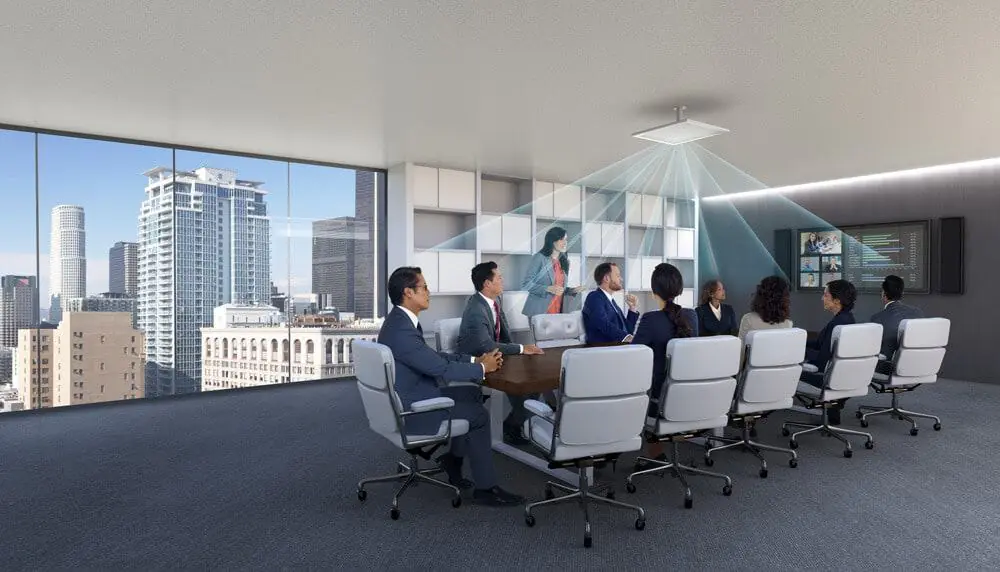
- In small huddle rooms, omnidirectional ceiling or overhead microphones are often the best option. They capture voices evenly while eliminating tabletop cable clutter.
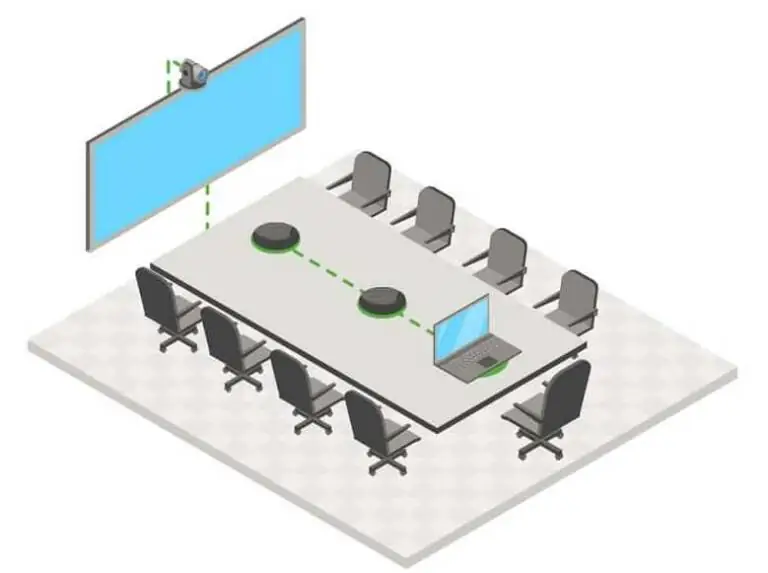
- In larger meeting rooms, directional tabletop microphones placed closer to participants provide better audibility, especially for remote attendees in video calls.
As a general rule, rooms seating more than six people benefit from multiple microphones rather than relying on a single unit. This ensures consistent audio pickup across the space.
Key Microphone Types for Meeting Rooms
Different meeting scenarios call for different microphone designs. The most commonly used conference microphone types include:

| Omnidirectional ceiling or overhead microphones | Ideal for small to medium huddle rooms, these microphones capture sound from all participants without cluttering the table with cables or devices. They are particularly effective in clean, modern meeting spaces designed for quick collaboration. |
| Directional tabletop microphones | Best suited for larger meeting rooms, these microphones are positioned close to users to ensure clear speech pickup. Their directional nature helps reduce ambient noise, making them especially effective for video conferencing with remote participants. |
| Gooseneck microphones | Flexible and precise, gooseneck microphones are commonly used on podiums or tabletops in auditoriums and boardrooms. They capture close‑up audio while minimising background noise, making them ideal when individual speakers need to be heard with clarity. |
Wearable and handheld microphones are also used in specific scenarios such as presentations, training sessions or interviews, where mobility or portability is essential.
Enhancing Audio with Beamforming and Noise Control
For meetings involving multiple speakers or movement, advanced microphone technologies can significantly improve clarity.

Beamforming microphones use microphone arrays to actively locate and track a speaker’s voice. By steering the pickup zone toward the active speaker, these systems maintain clear audio even as participants move or speak from different positions.
Modern systems increasingly incorporate AI‑powered beamforming and steerable arrays, making them well suited for hybrid meetings where in‑room and remote participants must be heard equally. Noise‑cancelling technologies further reduce echoes and background distractions, ensuring speech remains intelligible.
Selection Factors That Matter Most
Choosing a conference microphone depends mostly on how your room is really used. Here are all the considerations that need to be taken for selecting the type of microphones:
- Room size and layout
Small huddle rooms usually work best with microphones that pick up sound from all directions since people sit close together. Larger boardrooms benefit from directional microphones that focus on whoever is speaking and avoid pulling in too much room noise. - How many people are in the room
Once you have more than six people, one or two microphones rarely give consistent results. Multiple microphones spread across the table or ceiling help ensure every voice is picked up at the same level. - How meetings actually run
In rooms where people jump into the conversation, talk over each other or move around, beamforming microphone arrays do a better job of tracking voices. In more structured meetings where one person speaks at a time, simpler directional mics are often enough. - Wired or wireless
Wired microphones are stable and reliable, which is why they are still common in permanent meeting rooms. Wireless options give you cleaner tables and more flexibility when rooms are reconfigured, which is useful in modern hybrid spaces.
The Right Microphone Makes All the Difference
In any AV installation, microphone selection directly affects sound quality and meeting effectiveness. Clear audio supports better decision‑making, smoother collaboration and more productive meetings.
While a laptop microphone may suffice for casual personal use, professional meetings, town halls and hybrid conferences demand dedicated, high‑quality microphones. The right solution ensures every voice is heard clearly and transforms any room into a more effective collaborative space.
FAQ’s
Choosing the right microphone ensures clear, intelligible speech while reducing echo and background noise. It plays a critical role in hybrid meetings, where remote participants rely entirely on audio quality to stay engaged. The correct microphone improves communication flow, reduces fatigue and creates a more professional collaboration experience for everyone involved.
Ceiling and overhead array microphones work well in modern meeting rooms as they cover multiple participants without cluttering the table with cables. Directional tabletop microphones are better suited for larger spaces where precise voice pickup is required. For podiums or auditoriums, gooseneck microphones remain the preferred choice for close-up clarity with minimal ambient noise.
Room size determines the type, placement and number of microphones required. Small huddle rooms can often rely on a single ceiling or tabletop microphone, while larger boardrooms benefit from multiple microphones or zoned coverage. Spaces with more than six participants typically perform better with distributed microphones rather than a single pickup point.
Common mistakes include incorrect placement, ignoring room acoustics and using microphones with unsuitable pickup patterns. These issues can cause uneven volume levels, echoes or excessive background noise. Failing to calibrate microphones or integrate proper DSP processing also limits overall audio performance, especially in hybrid meeting environments.
Consistent sound quality comes from matching microphones to room acoustics and supporting them with proper DSP, echo cancellation and noise reduction tools. Regular testing, calibration and firmware updates help maintain performance over time. Advanced solutions such as AI-powered beamforming further improve clarity by adapting to speaker movement and changing room conditions.