Skip to content Skip to footer

Avoid Facepalm moments on VC. Brush up on your Vid-etiquette

While video conferencing is becoming an increasingly important part of our work lives, it’s a relatively new communication medium for most of us. Like any other medium for conversation (chat, email, social media), VC interaction has its own set of rules, in order to facilitate smoother “many-to-many” communication.

While video conferencing is becoming an increasingly important part of our work lives, it’s a relatively new communication medium for most of us. Like any other medium for conversation (chat, email, social media), VC interaction has its own set of rules, in order to facilitate smoother “many-to-many” communication.

Polycom has a simple primer that very creatively describes all you need to know about VID-ETIQUETTE while collaborating at work. For example:

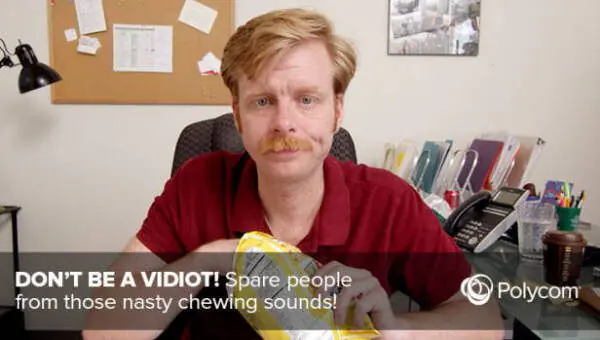
Chewing and video collaboration don’t mix

chewing-and-video-collaboration-1-600x340-1

Snacking while on call doesn’t seem like a good idea. Not only does that appear unprofessional but the chewing sound isn’t very pleasing for the audience either.

No stripes or checkered patterns while on video

no-checkered-patterns-while-on-video-1

It makes people dizzy! The audience wouldn’t be able to focus on the ideas spoken because of the disturbing checkered patterned shirt flashing in front of their screen.

Watch what you share on your screen

share-on-your-screen-1-600x339-1

Be conscious of what is being shared. Most content sharing modes willlet us choose between sharing a specific document, an application, or an entire desktop. We need to choose wisely.

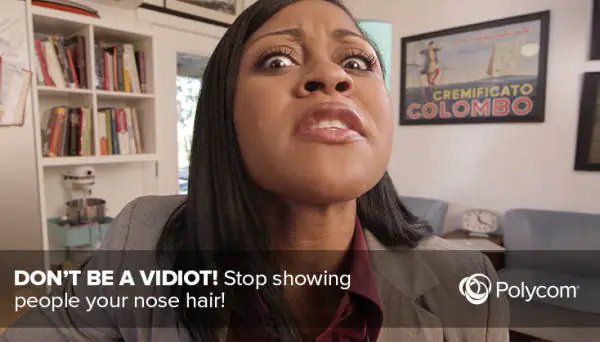
Stop showing people your nose hair

stop-showing-people-your-nose-hair-while-vc-1

Don’t let the laptop contribute to the nose-hair view. Placing the laptop at a particular angle helps avoid embarrassment later.

Not speaking? Mute!

Spare those meeting participants from the background noises and irrelevant sounds at your end.

(Content and Image courtesy: www.polycom.com)

FAQ’s

Good video conferencing etiquette includes behaving in a respectful, professional way during virtual meetings. Key practices involve:

  • Muting when not speaking
  • Having proper lighting and camera framing
  • Using a neutral or uncluttered background
  • Avoiding distractions or multitasking
  • Speaking clearly and waiting your turn
  • Dressing appropriately and looking presentable

These combine to prevent “facepalm moments” and make virtual meetings more effective and polished.

It depends on the meeting context. When active participation or collaboration is expected, keeping your camera on helps with engagement, nonverbal communication, and presence. However, for large webinars or passive listening sessions, you may turn off your camera unless asked to speak.
Using a camera judiciously reduces bandwidth load and potential distractions.

As hybrid and remote work become the norm, virtual meetings are ubiquitous. Poor video etiquette can harm your professional image, reduce engagement, and interrupt meeting flow. By maintaining good visual, audio, behavioral standards, you ensure your presence is taken seriously and meetings are productive.

phone-18-512-1